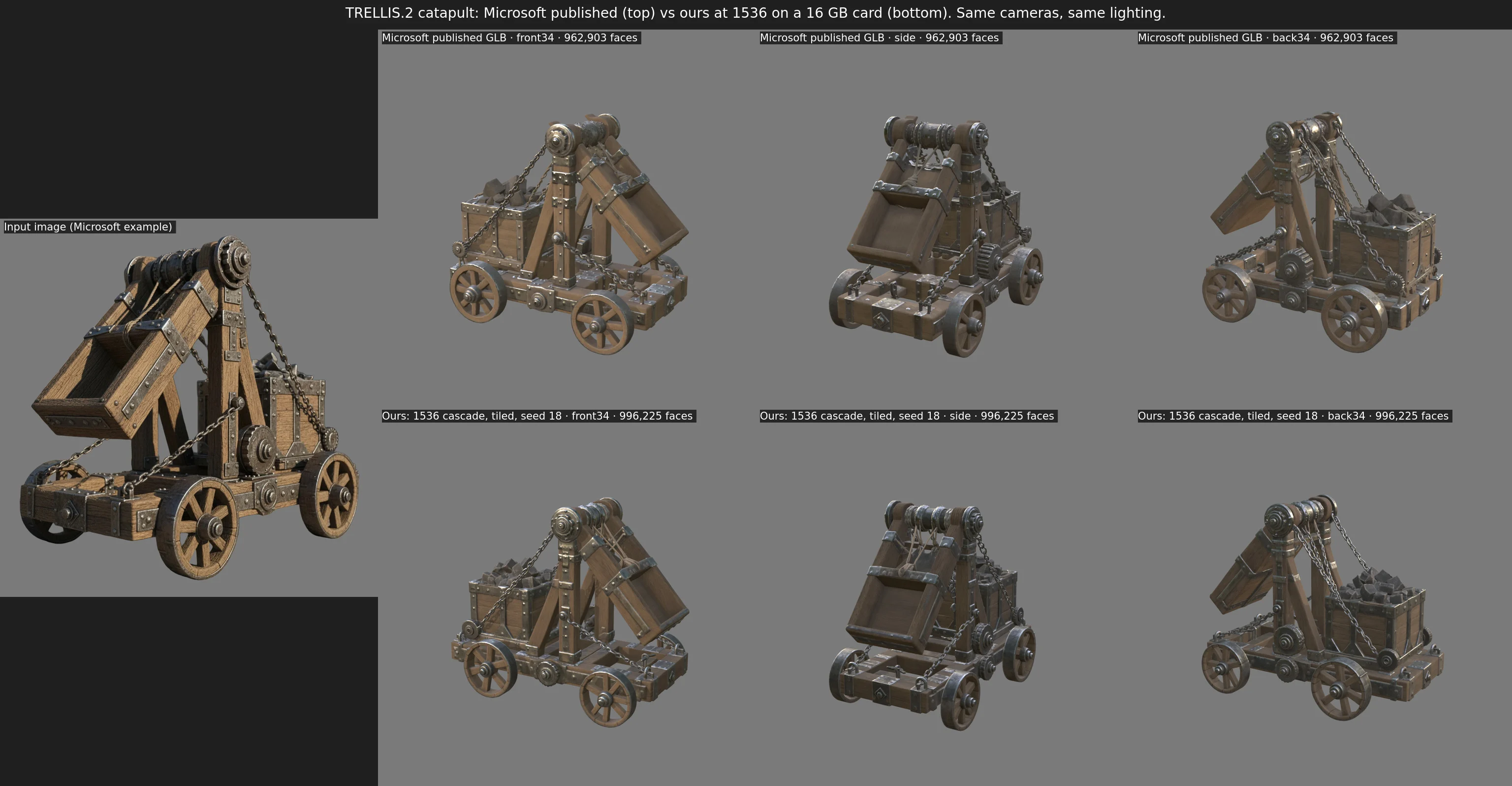
Microsoft's TRELLIS.2 turns a single image into a textured 3D model, and its best setting builds the object on a 1536-voxel grid. Microsoft lists a 24 GB GPU as the minimum, and on a 16 GB card the 1536 pipeline runs out of memory while decoding the shape and again while exporting the GLB. over|yonder Espalier-2 changes how those two stages use memory, so the same code, weights and settings finish on a 16 GB RTX 5070 Ti. It also keeps dense objects at 1536, where Microsoft's code would lower the resolution, and reads the weights from disk as each stage needs them. Here it is beside Microsoft's published model for the same input:
An espalier is a fruit tree trained flat against a trellis, so a full-size tree grows in a narrow space.
The pipeline
TRELLIS.2 generates in three steps and then exports. A flow model decides which cells of a coarse grid contain surface, a second fills those cells with latent vectors and a third refines them, and decoders turn the latents into a mesh and a volume of material values. The export then rebuilds the surface, simplifies it and bakes textures:
The flow models already fit, because Microsoft's code moves each network onto the GPU only while it runs and the 1536 cascade keeps its latent grid coarse. Everything that overflows the GPU comes after them.
The weights
Moving each network onto the GPU only while it runs has a cost in system memory. Between stages Microsoft's code keeps every network's weights there, more than the GPU itself holds, alongside everything else the machine is running.
The weights are already in safetensors files, which can be read without copying. Espalier-2 reads each network's weights from its file straight to the GPU when its stage starts, and frees them when the stage hands the network back. The only copy in system memory is the kernel's page cache, which keeps recently used weights while there's room and drops them for free when there isn't. The output is bit-identical, and generation needs about a third of the system memory.
The decoders
Each decoder stage doubles the grid and halves the channels. The surface's voxel count grows with the square of the resolution, so the last upsampling step, from 768 to 1536, is where memory runs out:
shape_dec_next_dc_f16c32_fp16.jsonEvery layer in these decoders is either a 3×3×3 sparse convolution or works on each voxel alone, with no attention anywhere. A voxel's output therefore depends only on a fixed neighbourhood around it, so the high-resolution stages can run one region at a time, as long as each region carries enough of its surroundings. Image tools decode large images in tiles for the same reason.
Espalier-2 runs the first three stages on the whole object, where tensors are small. At 768 it splits the voxels into cubes, runs the last two stages on each cube with a margin around it, and keeps only the voxels that descend from the cube's core:
The margin covers how far the tiled layers reach: one voxel per convolution, plus the neighbours that decide the core's subdivisions. Here's the tiled pass in SparseUnetVaeDecoder:
for tx in range(lo[0], hi[0] + 1, T):
    for ty in range(lo[1], hi[1] + 1, T):
        for tz in range(lo[2], hi[2] + 1, T):
            core_lo = torch.tensor([tx, ty, tz], device=xyz.device, dtype=xyz.dtype)
            core_hi = core_lo + T
            if not ((xyz >= core_lo) & (xyz < core_hi)).all(1).any():
                continue
            idx = ((xyz >= core_lo - M) & (xyz < core_hi + M)).all(1).nonzero()[:, 0]
            t = sp.SparseTensor(h.feats[idx], coords[idx])
            t._scale = h._scale
            for i in range(split, n):
                guide = guide_subs[split][k][i - split] if guide_subs and i < n - 1 else None
                t = self._run_stage(i, t, guide, tsubs)
            # ... final norm and output layer, then keep the core
            anc = torch.div(t.coords[:, 1:], f, rounding_mode='floor')
            keep = ((anc >= core_lo) & (anc < core_hi)).all(1)
The texture decoder reuses the shape decoder's subdivisions, so the shape decoder hands them over tile by tile and both decoders tile identically. Tiling stays off unless it's asked for, which leaves Microsoft's code path unchanged by default.
The shape decoder ends by turning its voxels into a mesh. For each voxel edge the surface crosses, the four voxels around that edge form a quad, and each quad splits into two triangles. This step built all twelve edge neighbours of every voxel in one tensor and kept it, with its lookup tables, until the mesh was finished, which ran a 16 GB card out of memory on larger objects. It now runs over chunks of voxels and quads and concatenates them in order, so the mesh is identical bit for bit.
The texture decoder is the last to use the shape decoder's subdivisions, which still carry the shape decoder's cached convolution neighbour maps. The texture decoder rebuilds those for itself, so Espalier-2 clears them before it runs. Once it's done, Espalier-2 releases the subdivisions themselves, along with the memory PyTorch keeps cached for reuse, before CuMesh fills small holes in the mesh. CuMesh allocates GPU memory directly, outside PyTorch, so it can only use what PyTorch has handed back.
Checking the tiles
At 1024 the whole decoder still fits, so tiled and untiled decodes of the same latent can be compared voxel by voxel. A single tile covering everything matches exactly, which shows the tiling itself is correct. Real tiles differ slightly:
| Decode | Voxels added or dropped | Shared voxels that differ | Largest feature difference |
|---|---|---|---|
| Untiled, run again | 0 | 0 | 0 |
| One tile covering everything | 0 | 0 | 0 |
| 128-voxel tiles, 8-voxel margin | 116 | 765,621 (13%) | 0.016 |
| 128-voxel tiles, 16-voxel margin | 28 | 149,061 (2.5%) | 0.0099 |
You'd expect any differences to sit near the tile edges, since that's the only place where a tile is missing information. They appear right through the middle of the tiles instead:
| Distance from the edge | Voxels that differ |
|---|---|
| 0 to 1 voxels | 16% |
| 1 to 8 voxels | 15% |
| 16 to 24 voxels | 14% |
| 32 to 64 voxels | 6% |
That's because FlexGEMM, the sparse convolution library, tunes its kernels for each problem size. A tile is a smaller problem than the whole object, so it runs different kernels and adds its sums in a different order. Those rounding differences grow through the layers, and occasionally flip a subdivision score that sits right at zero, which adds or drops a voxel. Larger tiles behave more like the whole object, so at 1536 Espalier-2 uses large tiles.
Dense objects
The 1536 cascade limits its high-resolution stage to 49,152 tokens. When an object has more, Microsoft's code lowers the resolution by 128 at a time until it fits, as far as 1024, and most seeds of the catapult ran at about 1408 for this reason. Espalier-2's --max-tokens option raises the limit, so a dense object, like the water pot in the results below, stays at 1536. Sampling it takes about two and a half times as long.
A dense object's decoders are tighter still. Running its 384 stage whole leaves almost no room on the card, and smaller tiles at 768 make it worse, since the stages that still run whole are the problem. Above the limit Espalier-2 starts the tiles at the 384 stage instead, 96 voxels across with a 16-voxel margin, which covers how far the later layers reach at that scale.
The export
Microsoft's export rebuilds the 1536 surface with a narrow-band remesh, simplifies it to a million faces and bakes the textures. It ran out of memory in several places, and none of the fixes changes what it computes.
The remesh built every voxel's twelve edge neighbours in one tensor, as the shape decoder's mesh extraction did. Each voxel's quads depend only on that voxel, and each quad's split into triangles only on that quad, so both steps now run over chunks and concatenate in order. The remesh also kept the grid points it measured, and their distances to the surface, after it had used them. On a dense object those come to gigabytes, so it now frees them, and it finds the vertices its quads use with a mask over the voxels instead of sorting every quad corner.
The simplifier collapses edges across the whole mesh in priority order, so it can't be chunked. It needed room instead. The export kept the material volume on the GPU throughout, although only the final bake uses it, so Espalier-2 keeps that volume in system memory until the bake. Each simplification pass also rebuilds the mesh's edges by sorting them, and kept the sort's scratch buffers through the collapse that follows. On the pot's remesh, about 89 million faces, that overflowed the card, so CuMesh now frees the scratch once the edges are built, and builds its vertex-to-face lookup after the sort instead of before it.
After the remesh, the export reloaded its existing mesh object with the new mesh, and CuMesh allocates the new buffers before freeing the old ones. Espalier-2 releases the old object before the remesh, and hands PyTorch's cached memory back before CuMesh builds the remeshed mesh. Generation and export also run as separate processes, so nothing from generation is still on the GPU during the export.
Pixal3D
Tencent's Pixal3D is built on TRELLIS.2's pipeline and decoders, and conditions the flow models on image features projected into the voxel grid, from one image or from several posed views. The same changes carry over to its copy of the code, and two more were needed at 1536. Its conditioner projected every cell of the grid although the flow models read only the occupied ones, so it now projects just those, with the same result. Its NAF feature upsampler also attended over the whole 1024-pixel texture image at once, so that now runs in tiles that carry their full attention neighbourhood. Pixal3D then generates at 1536 on the same card, from one image or from four views.
Results
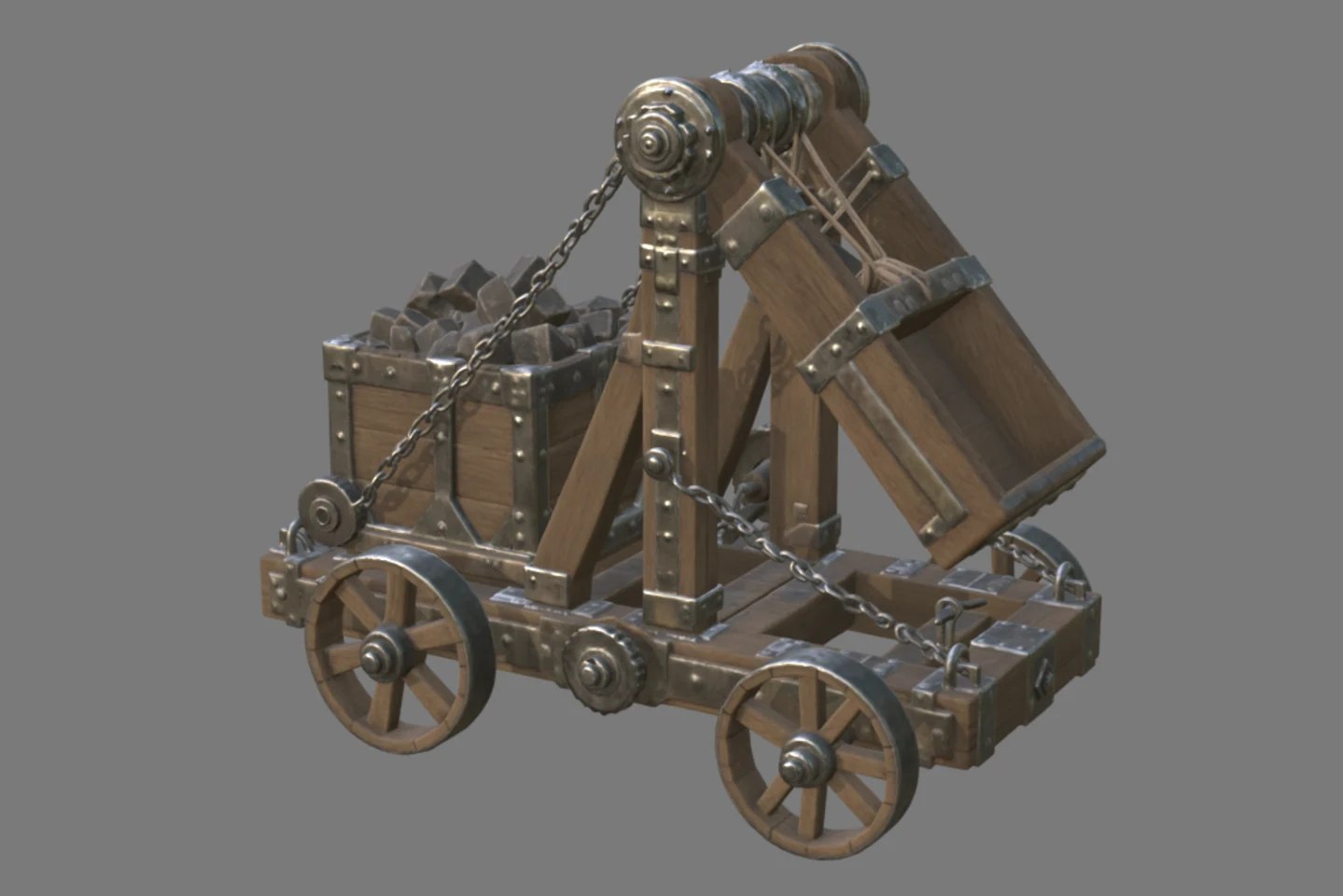
The reference input is the catapult from Microsoft's project gallery, whose input image ships with TRELLIS.2:
PyTorch only counts its own tensors, and CuMesh allocates GPU memory directly, so the driver's figure for each whole process is the one that has to fit. Seed 8 has the largest surface of the catapult's first 21 seeds, and the water pot ran with --max-tokens 100000. Loading the weights Microsoft's way, the catapult's generation held 20.1 GiB of system memory:
| Process | Catapult, seed 18 | Catapult, seed 8 | Water pot, 80,816 tokens |
|---|---|---|---|
| Generation | 11.9 GiB | 12.0 GiB | 13.0 GiB |
| GLB export | 8.3 GiB | 9.1 GiB | 11.5 GiB |
| Generation time | 4.5 minutes | 4.6 minutes | 10.5 minutes |
| System memory during generation | 6.4 GiB | 5.6 GiB | 6.2 GiB |
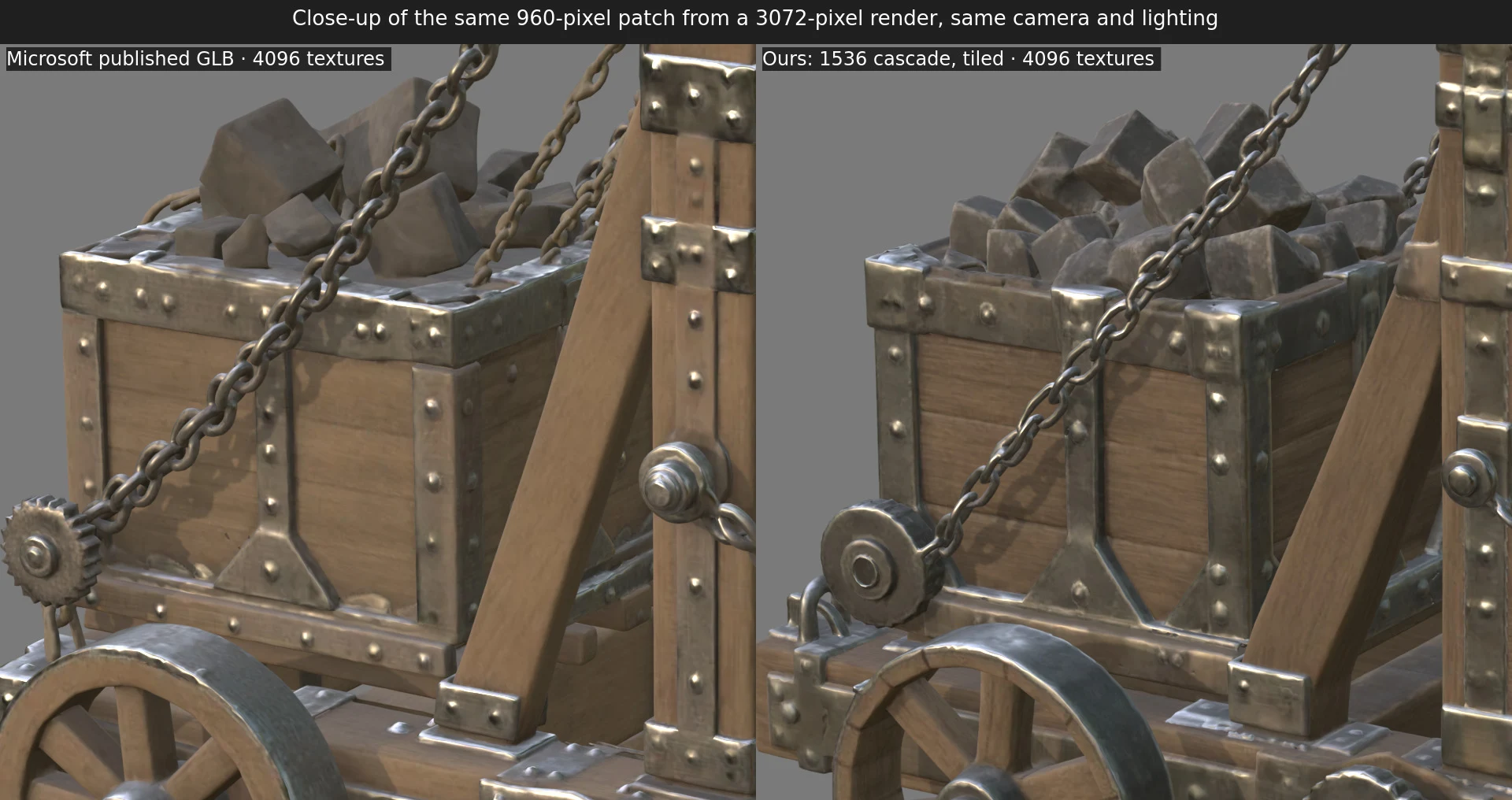
Up close, the 4096-pixel textures carry the same detail as Microsoft's:
Running it
Espalier-2 is on GitHub as patches and a script that builds everything at pinned commits. Its README covers requirements and options, including --max-tokens for dense objects, --model pixal3d, and --no-texture, which skips the texture and exports the geometry alone:
git clone https://github.com/overyonder/espalier
cd espalier
./install.sh
./espalier input.png out/